
AI engineering tip of the week: Give Every AI Agent or Task Its Own Image and Resources
Real pipelines aren't one-size-fits-all. Your data cleaning needs pandas. Your training needs PyTorch and a GPU. Your serving needs FastAPI. Agents are the same story in miniature: a small reasoning loop calling tools that each want their own dependencies and hardware. Every step has different requirements, and ideally a different container image.
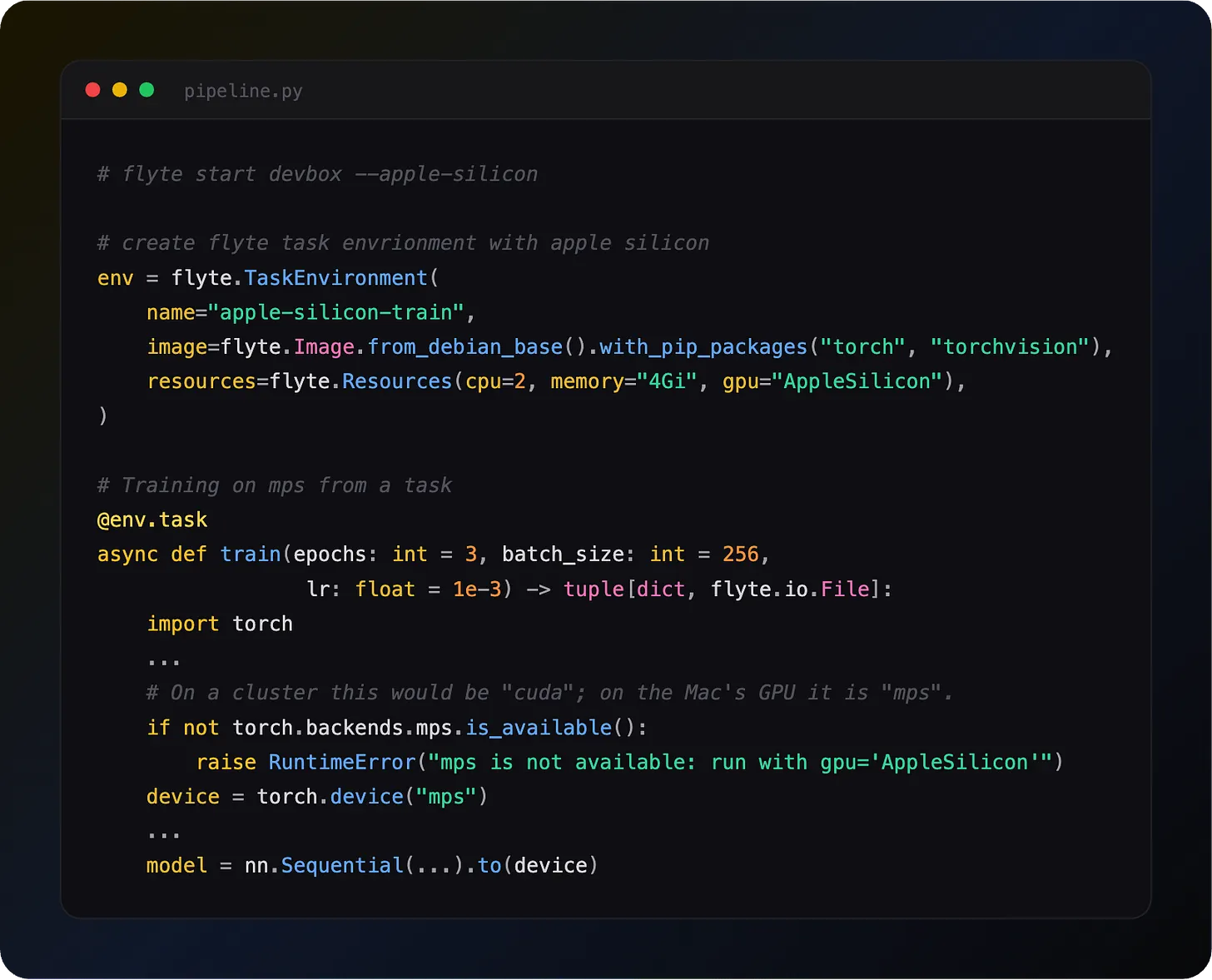
Flyte lets you declare as many `TaskEnvironment`s as you need in one codebase, each with its own image and resources. Tasks call each other normally across those boundaries, and each one runs in its own container. `depends_on` declaration can be used to tie them together at deploy time, so Flyte knows in which order to build them.
Two environments, two images
`preprocess` runs in a small container with pandas. `train` runs in a GPU container with PyTorch. Each task gets exactly the image and resources it needs.
Wiring the environments together
`depends_on` is a deploy-time declaration. It tells Flyte that deploying `train_env` should also build and deploy `data_env`.
Deploy `train_env` with the declaration and you get both tasks registered:
Routing isn't something you configure. A task always runs in its own environment's container, because that's the environment it was defined in. What `depends_on` gives you is making sure the task you're calling actually exists on the cluster. If you leave it off and `preprocess` never gets deployed, the `pipeline` fails at runtime looking for a task that isn't there.
Multiple dependencies
A single environment can depend on multiple others:
Agent tools, each in its own container
This is a natural fit for agents. The agent loop itself is cheap: it decides what to do next and waits. Not all tool calls are. Embedding needs a GPU, scraping needs a browser and a network path, a SQL tool needs database drivers.
Give each tool its own environment and keep the actual agent loop small:
The agent container has no torch, no browser, no drivers. It holds 512Mi while the GPU work happens elsewhere, and the GPU is only occupied for the duration of the tool call rather than the whole reasoning loop. Adding a new tool means adding an environment, not rebuilding the agent's image.
Multi-team collaboration
Different teams can own different environments. The data team maintains data_env, the ML team maintains model_env, and the orchestrator just wires them together:
Each team owns their image, dependencies, and release cycle. The `depends_on` declaration is the contract between them.
clone_with for environment variations
Need a non-reusable version of a reusable environment? Use `clone_with`:
Key rules
- If task A calls task B, then A's environment must declare depends_on=[B's environment]
- Flyte builds images in dependency order automatically
- Each task runs in its own environment's container with its own resources
- depends_on is a deployment-time concept; it doesn't affect runtime execution order
- Full multi-env docs: union.ai/docs/v2/union/user-guide/task-deployment
See what's happening in the Flyte Community:
Latest from the blog
- Durable Execution for Any AI Agent Framework - Read on Union
- A Modern Alternative to Slurm for ML Workloads - Read on Union.ai
- Anatomy of a Durable Run - Read on Union.ai
- Flyte 2 Is Generally Available: The Durable, Open-Source AI Runtime - Read on Union.ai
- Why Untrusted Kernel Evaluation Needs Process Isolation (and How We Built It) - Read on Union
- A Memory Store Built on Flyte and Cognee - Read on Union.ai
Recent talks & recordings
- Flyte 2: The Durable Runtime Built for AI - Watch on YouTube
- When the Pipeline Breaks: Building ML Infrastructure for Biotech R&D | Session 1 - Watch on YouTube
- Building Code Mode Agents - Watch on YouTube
- LLM fine-tuning with GRPO - Watch on YouTube
- LLM fine-tuning with LoRA & QLoRA - Watch on YouTube
Upcoming events
- more events will be posted soon, subscribe to the luma calendar: https://luma.com/unionai
Releases & updates
- Flyte 2 Is Generally Available: The Durable, Open-Source AI Runtime - Read on Union.ai
<div class="button-group is-center"><a class="button" target="_blank" rel="noopener noreferrer" href="https://www.union.ai/docs/v2/flyte/user-guide/run-modes/running-devbox/">Download Devbox</a></div>
From the community
- World Models with NVIDIA Cosmos: Physical AI - RSVP on Luma
- AI Book Club: Vision Language Models (VLMs) - RSVP on Luma
That's all for this week! - Sage Elliott