Two commands.
One real local Flyte cluster.
The Flyte 2 devbox is a self-guided way to preview Union.ai without a remote cluster. Install it and run a workflow to see how the AI runtime works, right on your machine.
Why start with the Flyte 2 devbox?
Same UI, smaller footprint
Tasks run in containers and report to a real UI, so what you see locally behaves like what you'd see remotely.
A real cluster, not a mockup
Docker spins up the scheduler, object store, and UI locally, the same pieces that run in a production Union.ai deployment.
Explore it on your own time
Install the SDK, start the devbox, and run a workflow yourself. It's yours to poke at for as long as you want.
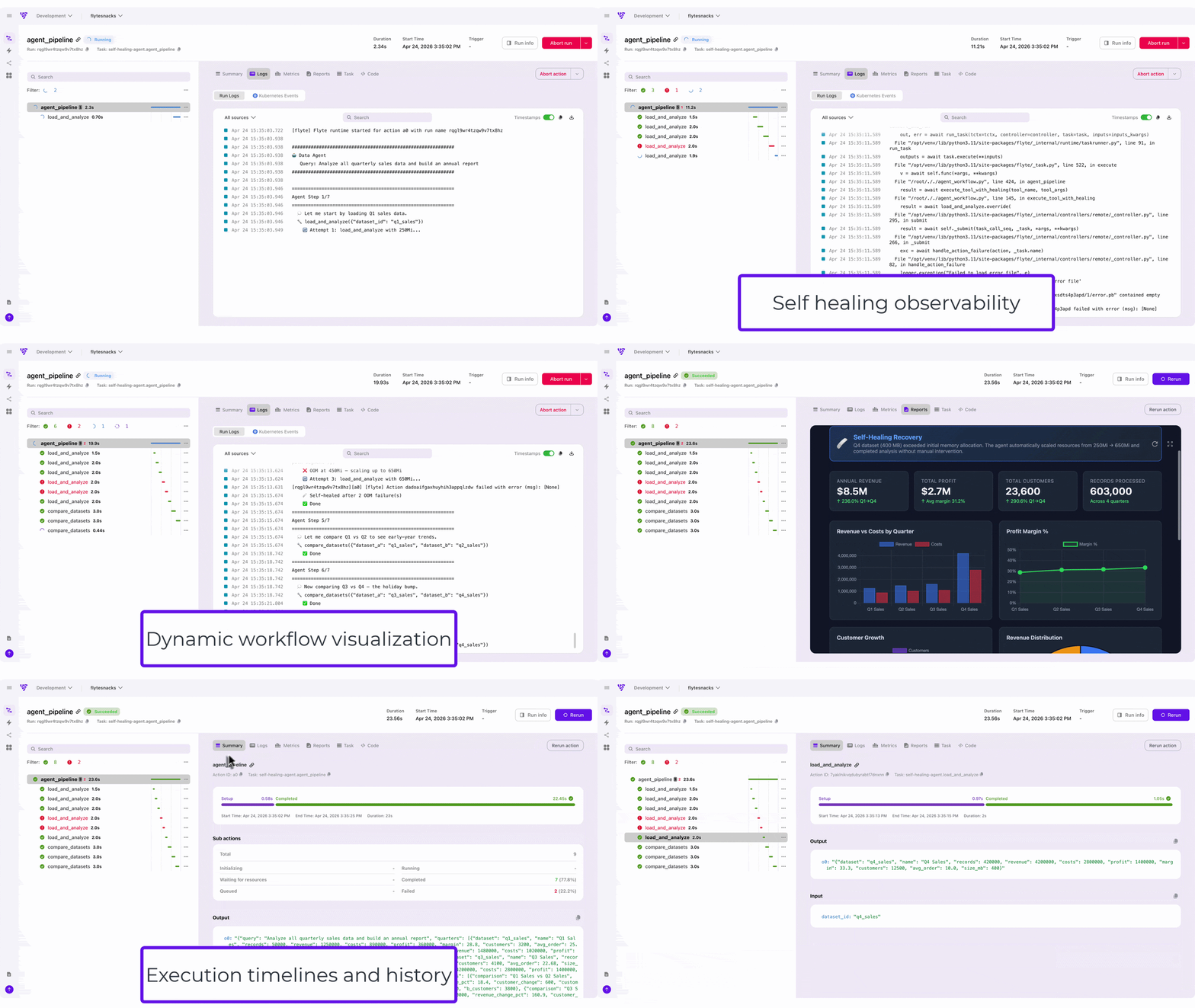
Union.ai is built on Flyte 2, the open-source AI runtime. The devbox runs Flyte 2 on your machine, so everything you try locally is the same engine, execution model, and UI that Union.ai runs in production.
Get running
For more detailed instructions, the docs cover using GPUs, config files, and remote clusters.
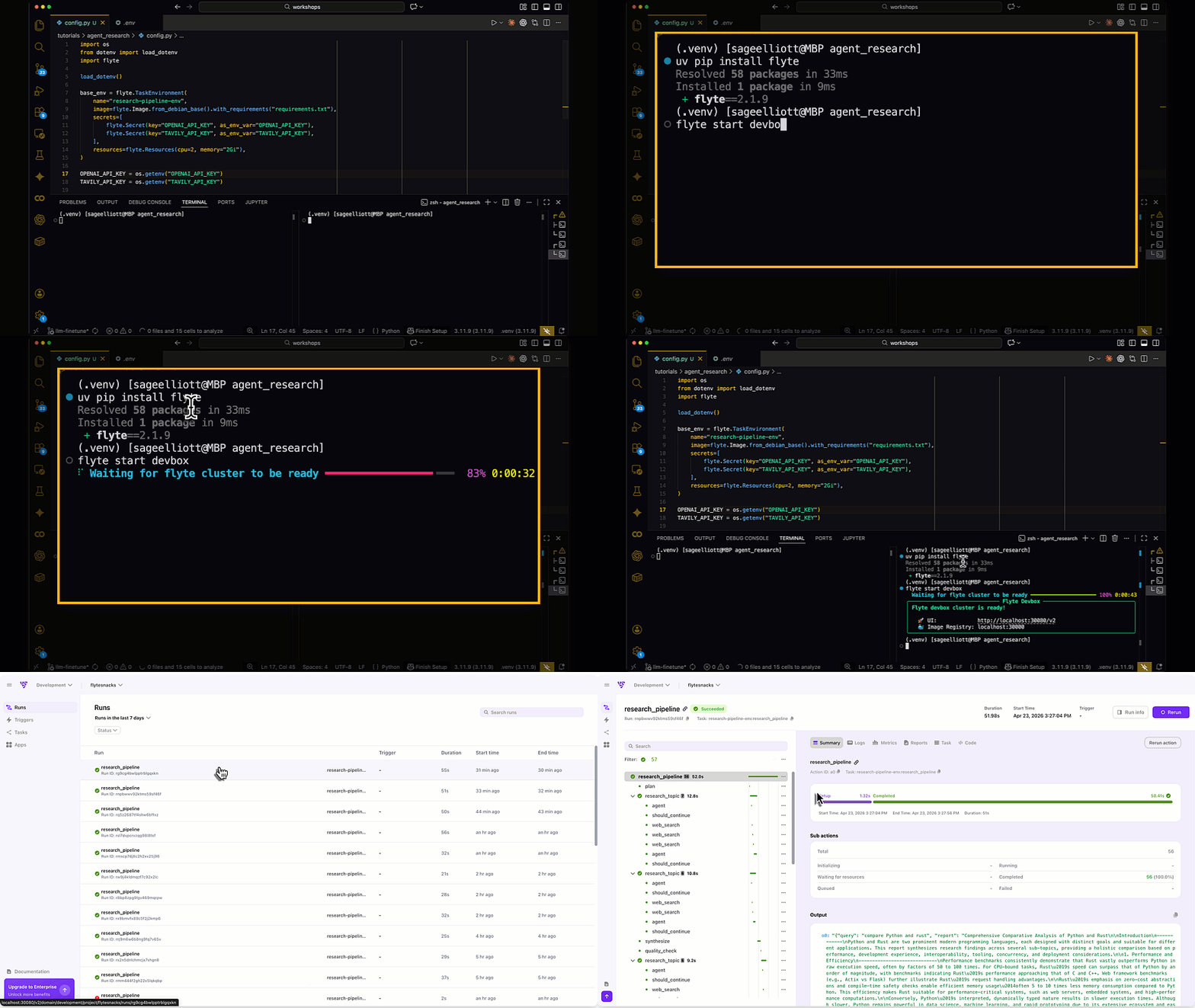
Install the Flyte SDK
Tasks run in containers and report to a real UI, so what you see locally behaves like what you'd see remotely.
Start the devbox
Pulls the containers and starts a local Flyte instance. First run takes a few minutes.
Open the UI
Inspect inputs, outputs, logs, and execution timelines for your runs.
Ready for more than a laptop?
When you’re ready for a real deployment on your cloud, the docs walk through remote setup, or an engineer can walk through it with you.