AI engineering tip of the week: Develop and debug locally before you deploy
You don't need a cluster or even docker to develop Flyte pipelines. Run everything on your laptop first with `flyte run --local`. Same code, same caching, same error handling. When it works locally, deploy it remotely with zero code changes.
Run any Flyte task locally
Your task runs in your local Python environment. No containers, no cluster, no waiting for image builds. Perfect for fast iteration.
Same code runs remotely
When you're ready, just drop the `--local` flag:
The same Python file, same task decorators, same everything. Flyte handles containerization and scheduling when you go remote.
Caching works locally too
`cache="auto"` uses a local SQLite database when running locally. So if your first task takes 10 minutes to preprocess data, subsequent runs skip it:
Run it once, wait for preprocessing. Run it again, preprocessing is instant. Focus your iteration time on the step you're actually changing.
This can be a useful feature for debugging or testing sub agent behavior. Cache previous agentic tasks and rerun after adjusting prompts / code in a sub agent reading from the cache.
Watch your runs with the TUI
Install the terminal UI for a rich local development experience:
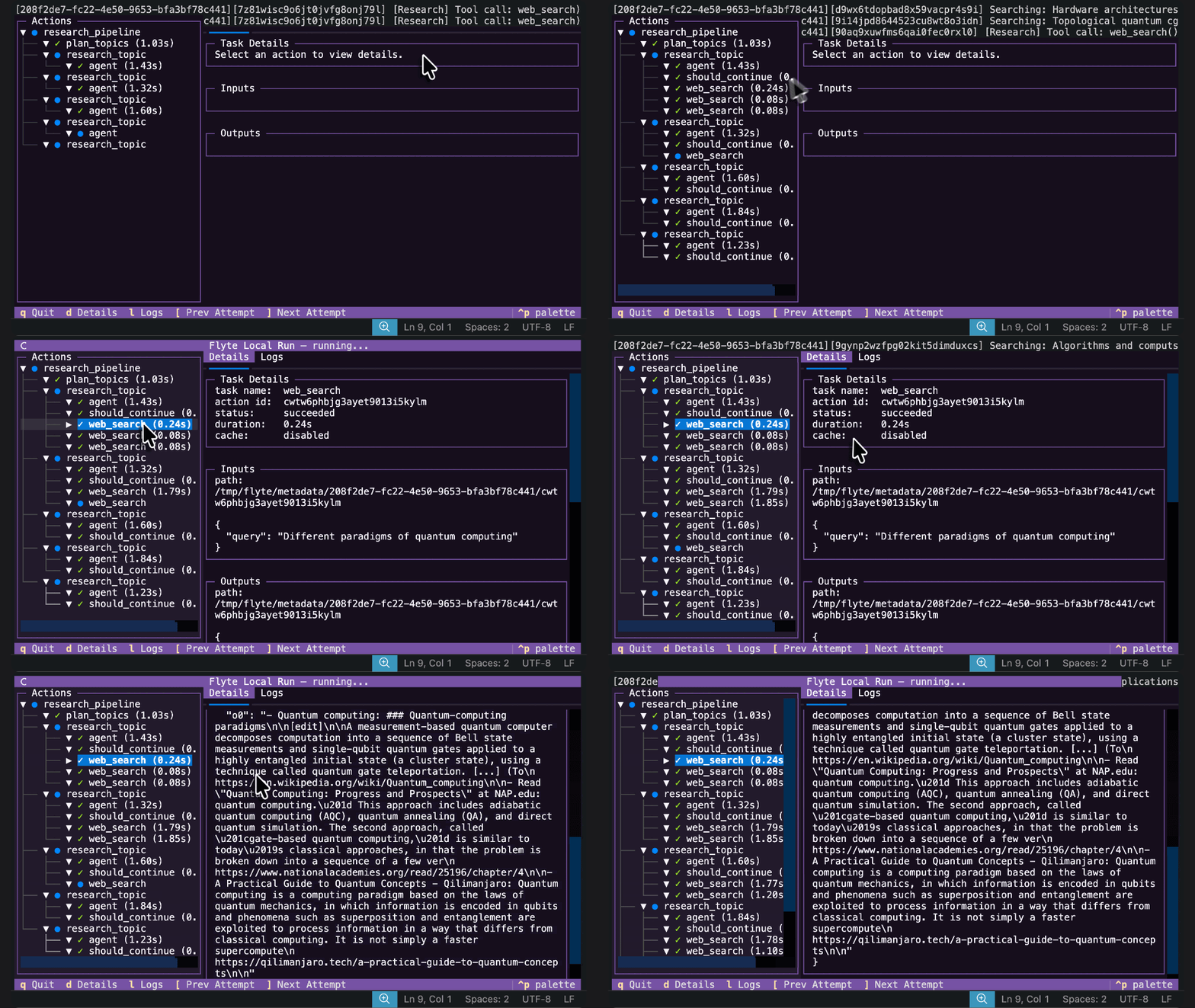
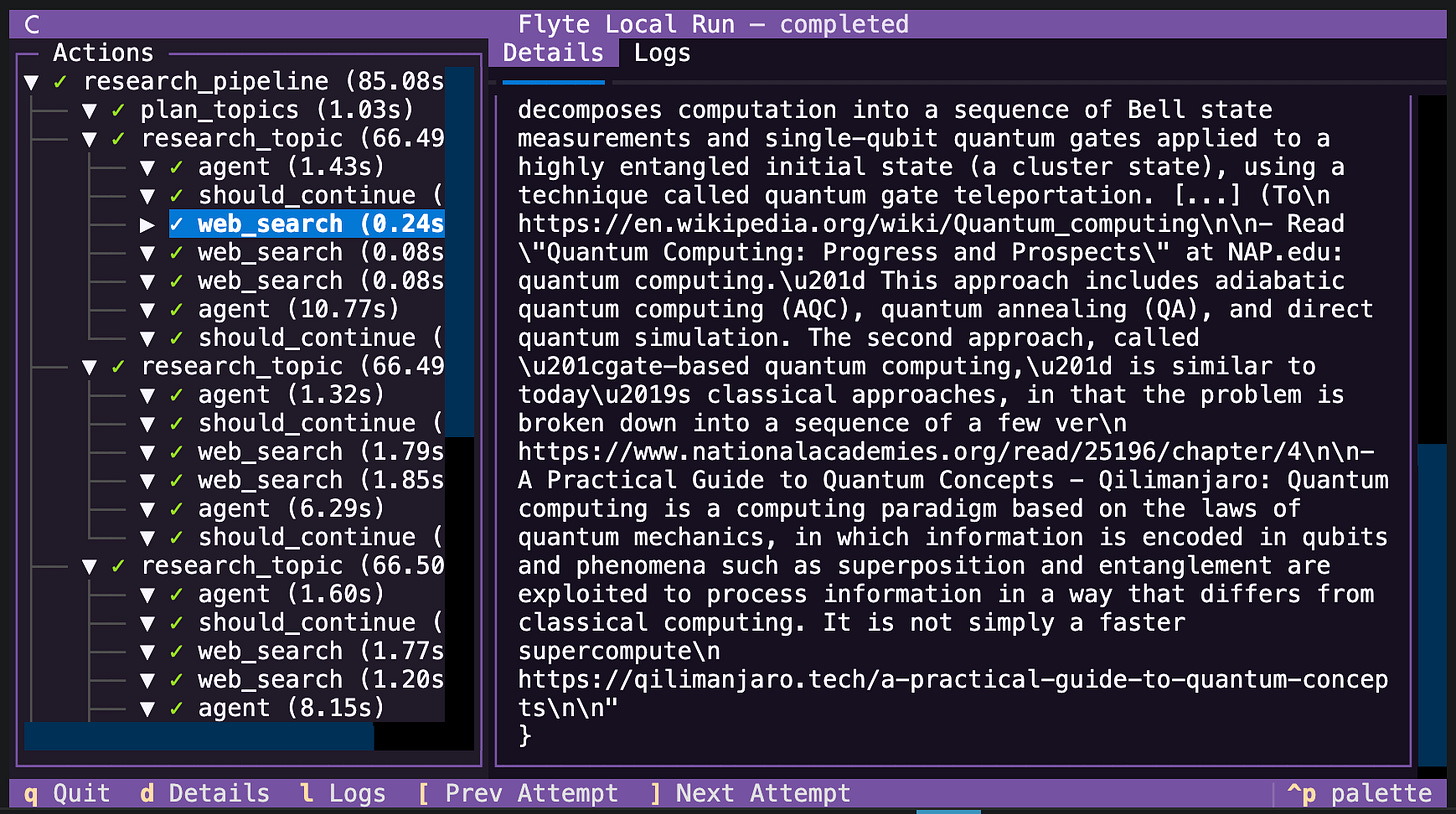
The TUI shows a real-time view of your task execution tree, with status indicators and timing for each step. Much nicer than scrolling through logs.
Also very useful for agent debugging and monitoring. The TUI can give you insight to how your agents are running, and you can click into individual tasks to observe inputs, outputs, and reports.
Browse past runs
Enable persistence and browse your local run history:
Reports work locally
HTML reports (from Flyte Log #5) render locally too. A local run writes the report to disk alongside the run metadata:
The report lands at `<path>/<action-id>/report.html`, so you can open it directly:
Running with `--tui` also allows browse report locations. Select an action that produced a report and the Report box shows its path.
Debug with your normal tools
Since tasks run in your local Python process, you can use all your normal debugging tools:
- breakpoints: Drop `breakpoint()` or `import pdb; pdb.set_trace()` in your task
- print statements: Output goes straight to your terminal
- IDE debuggers: Run the script from your IDE with debugger attached
- profiling: Use cProfile, line_profiler, or any other profiling tool
The Flyte development loop
- Write your task code
- `flyte run --local --tui` to test it
- Fix issues, re-run (cached steps are instant)
- When it works, `flyte run` to run remotely deploy on a deployed flyte cluster
- Repeat
No Docker builds or waiting for cloud or waiting for pods to schedule in the local iteration phase. Just fast iteration on your laptop, then deploy when ready.
Full local dev docs: https://www.union.ai/docs/v2/flyte/user-guide/get-started/run-modes/running-locally/
See what's happening in the Flyte Community:
Latest from the blog
- A Modern Alternative to Slurm for ML Workloads - Read on Union.ai
- Anatomy of a Durable Run - Read on Union.ai
- Flyte 2 Is Generally Available: The Durable, Open-Source AI Runtime - Read on Union.ai
- Why Untrusted Kernel Evaluation Needs Process Isolation (and How We Built It) - Read on Union
- A Memory Store Built on Flyte and Cognee - Read on Union.ai
- Building Grounded Agents on Fresh Web Data - Read on Union.ai
- Run Models, Agents and Apps on Infrastructure You Own - Read on union.ai
Recent talks & recordings
- Flyte 2: The Durable Runtime Built for AI - Watch on YouTube
- When the Pipeline Breaks: Building ML Infrastructure for Biotech R&D | Session 1 - Watch on YouTube
- Building Code Mode Agents - Watch on YouTube
- LLM fine-tuning with GRPO - Watch on YouTube
- LLM fine-tuning with LoRA & QLoRA - Watch on YouTube
Upcoming events
- We're at Ray summit this week: Come find us in the expo hall at a sponsored table!
- more events will be posted soon, subscribe to the luma calendar: https://luma.com/unionai
Releases & updates
- Flyte 2 Is Generally Available: The Durable, Open-Source AI Runtime - Read on Union.ai
<div class="button-group is-center"><a class="button" target="_blank" rel="noopener noreferrer" href="https://www.union.ai/docs/v2/flyte/user-guide/run-modes/running-devbox/">Download Devbox</a></div>
From the community
- Robotics Simulation with NVIDIA Isaac Sim - RSVP on Luma
- AI Book Club: Build a Reasoning Model (From Scratch) - RSVP on Luma
That's all for this week! - Sage Elliott