Most "agentic AI" demos are not actually useful. They're impressive the first time you see them. They summarize things, answer questions, sound confident. Then someone asks a question about data provenance and authenticity — "can you show me the source?", "how do I know this is current?", "what happens when it's wrong?" — and the whole thing falls apart.
The problem isn't the LLM. The problem is that the agent doesn't have access to fresh, citable data, and the orchestration layer isn't designed to handle retries, parallelism, or audit trails. That combination is what makes agents into toys instead of tools.
Over the past few months, we've been building out a set of tutorials that tackle this head-on. Four real-world use cases — competitive intelligence, compliance monitoring, field data enrichment, and customer support resolution — each built on the same underlying pattern. I want to show you what that pattern is, and why it works.
The pattern
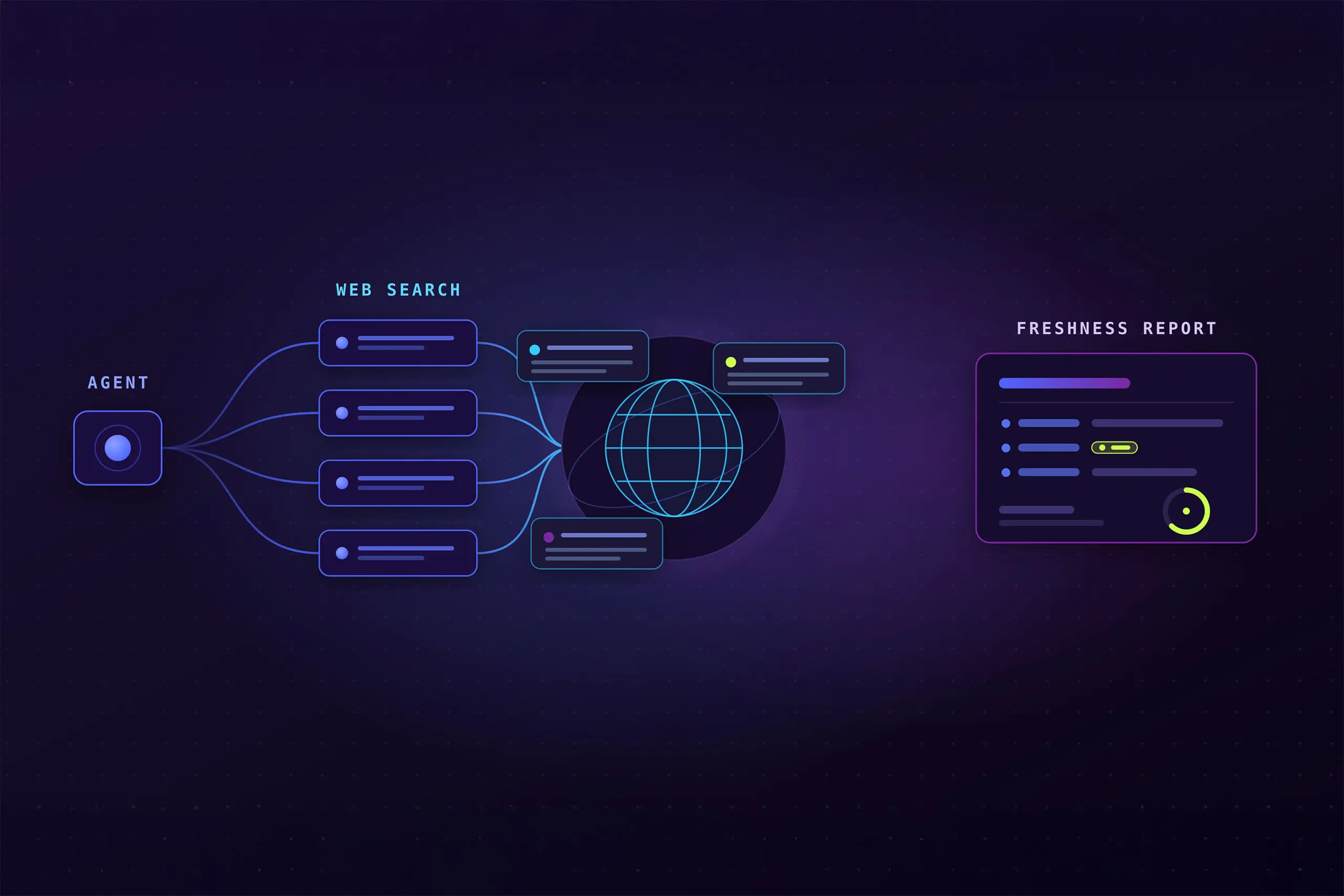
Every one of these agents does the same three things:
- Fan out across a list of inputs — competitors, regulatory topics, geo-tagged events, support tickets — spinning each one up as a separate, retriable Flyte task.
- Ground the LLM in fresh web and news data pulled from You.com's Search API, where every result carries a source URL, page title, publication date, and extensive snippets, or Research API, which returns a synthesized answer using the same intelligence that powers Search.
- Extract structured output — not a freeform response, but dataclasses with typed fields, source citations, and confidence scores that can feed downstream systems. You.com's Research API supports custom structured outputs as a first class feature.
The key insight is the middle step. Grounded, citable sources aren't a nice-to-have — they're the price of admission for agents that run in production. An LLM that can't tell you where it got something shouldn't be triggering compliance alerts or drafting customer replies.
The alternative most teams reach for first is SERP scraping, but it's the wrong tool for this layer. Scraped results are structurally inconsistent, rate-limited unpredictably, and don't carry the attribution metadata that production agents need — no reliable publication dates, no domain provenance, no snippet-level linkage back to the source document. You.com's Search and Research APIs are purpose-built for this: ranked, structured results with timestamps, source URLs, and snippet provenance that an agent can cite and a human can verify. For regulated workloads where a compliance team needs a traceable chain from prompt to citation, that structure isn't optional.
Here's what the pattern looks like in Flyte v2. The `TaskEnvironment` is the key object — it binds secrets, container image, and compute resources to every task in this agent:
The citation mechanism is worth pausing on. The system prompt tells Claude to return a `source_index` integer alongside each extracted fact. That integer maps back to the `[n]` label in the evidence string. The code then does `hits[source_index - 1]` to retrieve the original `SearchHit` — domain, URL, snippet, publication date — and attaches it directly to the output dataclass. This is how every claim in the output traces back to a specific web source, not a vague "according to the internet."
Every agent in this post is a specialization of this structure. `build_query`, `build_typed_result`, and `SYSTEM_PROMPT` are the agent-specific parts; everything else is identical.
The four agents
Competitive intelligence
The use case: stay current on pricing changes, model releases, funding rounds, and leadership moves across a set of competitors — without a dedicated analyst checking the news every morning.
The agent fans out across a configurable list of competitors (defaults to ten AI labs), fires a category-scoped query at You.com's Web Search API for each, and asks Claude to extract "deltas" — structured changes in the form `{category, summary, confidence, source}`. The output is a Flyte report: a card per competitor, each delta linked back to the web source that supports it.
LLM calls go through LiteLLM (`model="anthropic/claude-haiku-4-5"`), which means swapping to a different model — or routing between providers — is a one-line change.
For competitive intelligence specifically, the Web Search API covers broad market signals while the built-in news search capability is better for narrow-time-window changes — pricing announcements, funding rounds, model releases — where a general web result from three months ago is noise rather than signal. Routing between the two is handled automatically based on the query, not an architecture change. If relevant, a single query can returns web and news results in one call.
`cache="auto"` on the `TaskEnvironment` tells Flyte to cache results keyed by task input hash. If `watch_competitor("Anthropic", [...], "week")` runs again with identical arguments — in a later scheduled run or a concurrent execution — Flyte serves the cached result without touching You.com or the LLM. This is distinct from `freshness`, which is You.com's own recency filter for web results: `freshness` controls data staleness, `cache` controls whether Flyte re-executes the task at all.
Compliance monitoring
The use case: automatically scan FDA guidance, SEC filings, state privacy law changes, and sanctions list updates, then route each finding to the right team — compliance, legal, or clinical — with a severity label.
This one uses You.com's Research API rather than the Web Search API, which matters a lot for compliance work. Research gives you a grounded synthesis plus structured sources. Two features make it viable here: `source_control` restricts queries to a specific domain allowlist (`fda.gov`, `federalregister.gov`, etc.), and `output_schema` lets you pass a JSON Schema describing the exact structure you want back — no prompt-engineering the output format, just declare the schema. Combined with Flyte's `@flyte.trace` on every external call, every finding traces back to which agent issued which query and received which document, on which date.
A hallucinated regulatory citation isn't a bug, it's a liability. That's why domain allowlists and source-level traceability aren't optional for this use case. You.com's Research API returns structured source URLs, publication dates, and snippet-level provenance alongside every finding — not just an answer. Combined with `@flyte.trace` on the grounding call, the full chain is captured: which agent ran, which query went to You.com, which document came back, on which date. That's the audit trail compliance teams actually need — end-to-end, not just at the Flyte task boundary.
Field data enrichment
The use case: autonomous vehicles, drones, field sensors, and satellites all generate geo-tagged operational events. Before acting on them, you want to know what's happening in the real world nearby — road closures, weather, airspace changes, local incidents. But you can't send raw operational telemetry out to a third-party API.
In Union's BYOC deployment model, only the lightweight public-web grounding query leaves the customer's cloud. The sensitive event data stays inside. The agent builds a location- and event-type-scoped query from the `GeoEvent` metadata, calls You.com with `country` and `freshness` targeting, and asks Claude to summarize the relevant public context and assign an operational severity (`none`, `low`, `medium`, `high`).
The data privacy boundary here is architectural, not a policy. The query contains location and event type — no sensor readings, no vehicle identifiers, nothing sensitive. And because You.com's Web Search API provides geo-targeted grounding without requiring each deployment to maintain a separate crawler, the same integration works across every customer's stack. No bespoke scraping infrastructure to build, no per-environment rate limits to negotiate, no fragile parsing layer to maintain as source sites change their HTML.
There's a second boundary worth calling out. In a serverless compute model, not just the query but the full execution exhaust — every prompt sent, every document retrieved, every retry decision — lands on the platform vendor's infrastructure. For autonomy and robotics customers operating in regulated environments, that's not acceptable. In Flyte's model, that execution record stays inside the customer's cluster. The audit trail is theirs, not ours.
Support resolution
The use case: support tickets that require knowledge outside the internal KB — checking a current return policy, verifying a product recall, confirming warranty terms, checking whether a public weather event is affecting a shipment.
This one uses You.com Research at `lite` effort for low latency, because it's designed to be a real-time, human-in-the-loop flow. The agent grounds the ticket, then asks Claude to draft a reply that cites its sources inline — so the human agent reading it can click through to verify before sending. Speed matters here: the grounding call needs to complete while a customer is waiting. Fresh, citable web sources are also the right alternative to a fine-tuned model that may be six months out of date — in support contexts, that gap is exactly where wrong answers and liability live. You.com Research at `lite` effort typically returns in a few seconds;; combined with Union's Actors feature keeping the container warm, the full grounding-to-draft cycle is viable in real-time flows, not just overnight batch runs.
The instruction to Claude is explicit: "cite the relevant source URL inline in parentheses after any factual claim so a human agent can verify before sending." If the sources don't answer the question, it says so plainly rather than guessing.
What You.com adds
The grounding layer is where most agent demos cut corners. They either rely on LLM training data — months old, untraceable — or bolt on a web scraper that breaks every time a source site changes its HTML. You.com's APIs are the third option: they return structured, timestamped, source-attributed results designed meticulously for agents.
The three APIs used across these tutorials serve distinct purposes:
- Web Search API delivers ranked web results with publication dates, domain, URL, and snippet — everything the agent needs to build the numbered evidence list and cite back by `source_index`. The `freshness` parameter controls result recency (day/week/month); `country` geo-targets results for field data use cases.
- News Search, built into the Web Search API, surfaces narrow-time-window changes. When you're watching for a recent funding announcements, a model launches or policy changes,they can be found.; a general web search may surface a three-month-old recap instead. For competitive intelligence, this difference matters.
- Research API synthesizes a grounded answer from structured sources. Two features make it the right tool for compliance and support: `source_control` restricts the source set to a specific domain allowlist (so a compliance agent only reads `fda.gov` and `federalregister.gov`, never a random blog), and `output_schema` lets you pass a JSON Schema and receive typed output directly — no prompt-engineering the response format. `research_effort: "lite"` keeps latency under a second for real-time support flows.
The common thread across all three: every result carries provenance metadata — URL, publication date, domain, snippet — as first-class structured data. That's what makes the `source_index` citation pattern possible. Without it, you have an answer but nothing to cite. With it, every extracted claim traces back to a specific document, on a specific date, from a specific domain.
What Flyte adds
You could write these agents with raw `asyncio` and `httpx`. The pattern itself isn't hard. Most teams who try it end up stitching a scheduler, a secrets manager, a separate observability tool, and a manual retry wrapper — each from a different vendor, with a different SDK, and a different on-call burden. Flyte replaces that entire stack with a single Python-native runtime that's infra-aware: it materializes containers, manages secrets, handles retries, and captures lineage, all as first-class concerns.
Specifically, what Flyte adds that you'd otherwise have to build or stitch:
- `@flyte.trace` wraps You.com and LLM calls in OpenTelemetry spans so every external call — what query was sent, what came back, when — is captured in the run record. This is what "audit trail" actually means in practice: not just that the pipeline ran, but that you can replay the exact prompt → query → source chain for any output.
- `cache="auto"` deduplicates calls across parallel and repeat runs by caching task outputs keyed by input hash. If ten concurrent executions call `watch_competitor` with identical arguments, only one actually runs — the rest get the cached result. This is separate from `freshness` (You.com's recency filter): the two operate at different layers and don't interfere with each other.
- `retries=3` on each fan-out task means transient failures (429s, timeouts) don't take down the whole pipeline.
- `flyte.group()` groups the fan-out tasks visually in the run graph, so you can see which competitor or which ticket is stuck without reading logs.
- `report=True` on the driver task renders the HTML output directly in the Union UI — your team can see the findings without leaving the orchestration platform.
- Execution lineage stays in your cloud. Flyte runs inside your Kubernetes cluster. The prompts, retrieved documents, retry history, and tool call records never leave your perimeter. For compliance, autonomy, and any regulated workload, that's not optional.
When the tutorials aren't enough
These four agents run comfortably on OSS Flyte. For the tutorial workloads — 10 competitors, 6 regulatory topics, a handful of events or tickets — that's entirely fine.
When you scale the fan-out, it's a different picture. OSS Flyte's scheduler is etcd-backed: every action is a CRD spawning a pod, and etcd write throughput is the ceiling. In practice, more than a few concurrent power users start to feel it. Scale a competitive intelligence run to 100 competitors tracked hourly, or a compliance monitor to 50 regulatory topics across 20 teams, and the architecture starts fighting back.
Union — the commercial platform built by Flyte's creators — replaces that backend with a Rust-based per-run controller backed by a specialized in-memory coordinator. The same Python code, the same SDK, the same `main.py` files you wrote for these tutorials run at up to 1M actions per run and 100M+ actions per org. Graduation is a configuration change, not a rewrite.
A couple of Union-specific capabilities matter directly for the agentic pattern in these tutorials:
Reusable containers keep containers warm across invocations. These tutorials fan out to separate tasks and each task cold-starts a fresh container — fine for the tutorial scale. But agentic loops that iterate many times (think a research agent working through a long queue, or a support agent fielding continuous ticket volume) pay cold-start tax on every invocation. Actors eliminate that. Combined with Union's Nydus-based lazy image loader, large GPU images that normally take four-plus minutes to pull are ready in under two seconds.
No relearn, no lock-in. Flyte and Union share the entire developer experience — same SDK, same `@task` / `@app` primitives, same plugins. An agent you write for OSS Flyte runs on Union unchanged. Every integration you build for Flyte works on Union. The graduation is a control plane swap, not an SDK migration.
This is the same stack Spotify, Mistral, and Lockheed Martin run production AI on. The OSS foundation is what OpenAI, Tesla, Anduril, Stripe, and LinkedIn use. That heritage matters when you're deciding whether to build your agent platform on something battle-tested or something you'll have to rip out later.
Try it
You can run this on the Flyte devbox locally:
Clone the repo
Create a config file for the devbox
You'll need a You.com API key and an Anthropic API key, stored as environment variables or passed as Flyte secrets. To create secrets for your API keys:
Run any of the four agents with `uv` — no virtualenv setup, no separate build step:
Each agent runs on 1 CPU and 1Gi RAM — this is not a GPU workload.
The full source is in unionai/unionai-examples, and the corresponding tutorials are in the Union docs. If you build a variation — different competitors, different regulatory domains, different event types — we'd love to hear how it goes.